Models
Each agent role has a default model, and you can change the model, effort, or speed of one session. Each harness lists the models that your harness account can use.
Set the default models
- Open Settings, then Repositories, your repository, and Agents.
- Under Default model, select a model in Runtime and model. Then select the Effort, and the Agent profile for OpenCode.
- Optional: to give a role another model, select it under Agent defaults by role.
- Select Save settings.
A role can use a model of another harness. For example, Spec can use Claude Code while the Builder uses Codex.
Which model a session uses
A new task session uses the first model that is set.
- For a fresh session, the start dialog shows the role default, or the Default model if the role has none. You can change the model before you start.
- Under Session mode, Fork existing shows the model of the source session. You can change it. Generate Pull Request offers Fork existing, and forks a Builder session.
- Reuse existing keeps the model of the session that you reuse. You cannot change it.
- A new workspace session uses the Default model.
- When Autopilot starts a fresh session, it uses these defaults. Without a role default or a Default model, Autopilot cannot start the role.
- If a saved model is no longer available, the start dialog shows no model, and Autopilot cannot start the role. Choose another model.
- Running sessions keep their model.
Change the model of one session
- In the start dialog, open Runtime and model. In the composer of a running session, select the model name under the message box.
- Select a model.
- If the model supports it, set Effort or Speed next to the model.
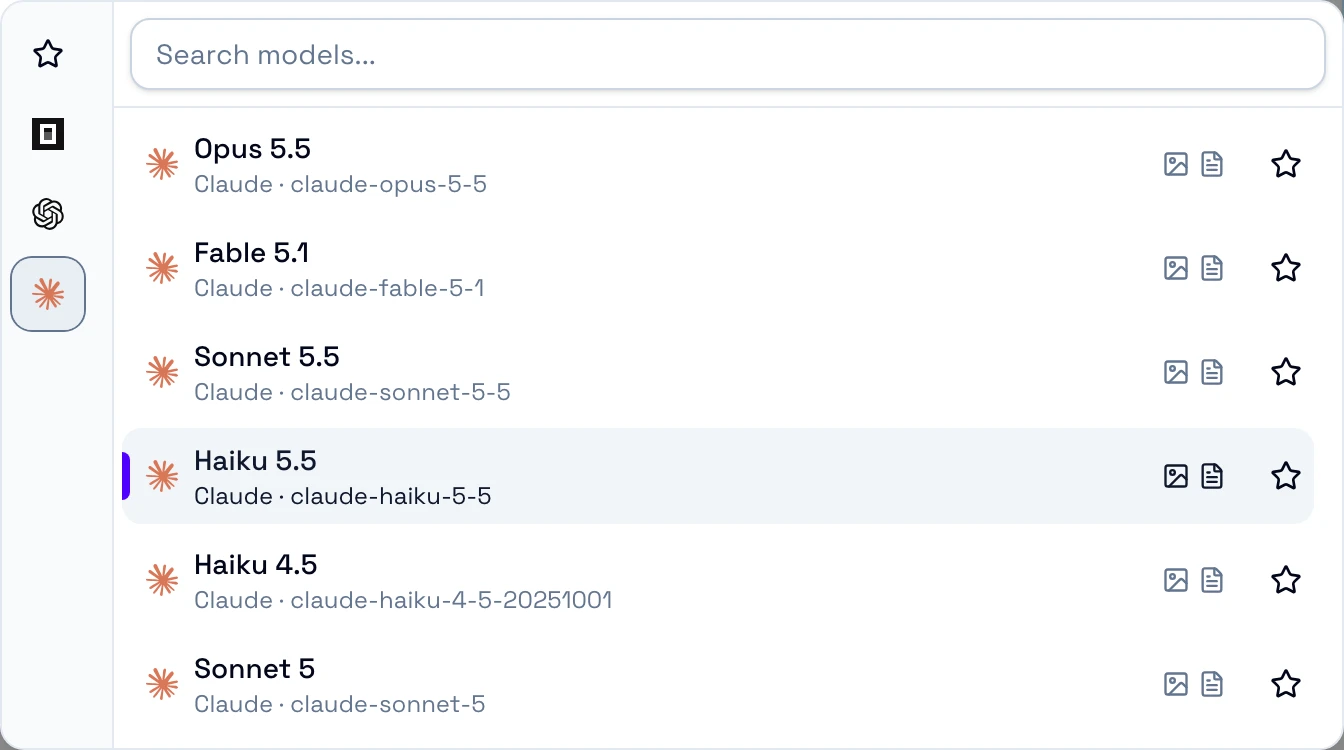
Favorites
The models that you starred, from all harnesses.
Harnesses
One icon for each harness. Select one to see its models.
Search models
Searches the models of all harnesses.
Star
Adds the model to Favorites at once, for all workspaces.
When you have favorites, the picker opens on them, and each harness list shows them first.


Model
Lists only the models of the harness that runs the session.
Effort
How much the model thinks before it answers.
Speed
How fast the model answers. A higher speed can cost more. A crossed-out icon means Standard.
Speed is available only with Codex and Claude Code. Agent profile is an OpenCode setting. The start dialog calls it Runtime profile.
Speed has no default. A new or forked session starts at Standard. A change in the composer applies to the next turn.